
Hello all,
Today we are going to see how to monitor the disk space and bandwidth usage of cPanel accounts in your WHM. Within your WHM (Web Host Manager), you have the ability to monitor disk space and bandwidth usage for the cPanel accounts that you manage.
Step 1 : How to View Disk Space Usage
- Log into your whm
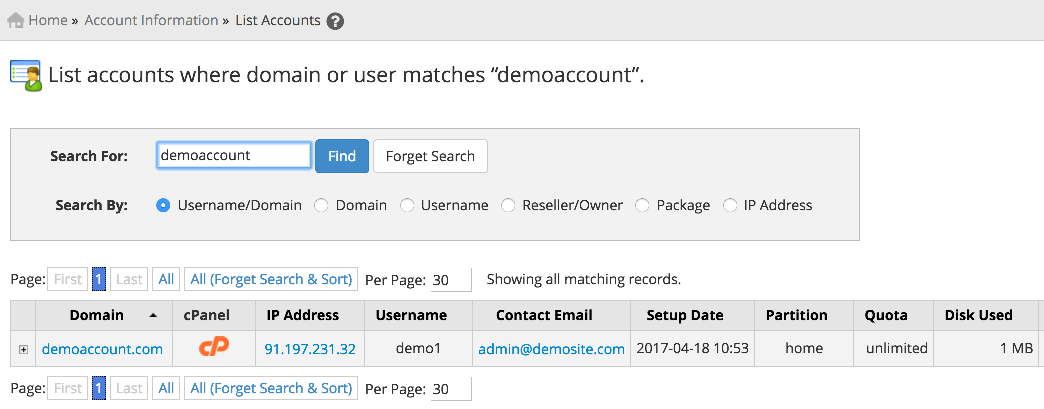
- Click “List Accounts”, which is under the “Account Information” heading in the left menu
- You will see a listing of all of your accounts, and disk space usage can be seen under the “DISK USED” column.

It shows the list of accounts and details of the account
Step 2 : How to view Bandwidth Usage
To view bandwidth usage for each of your cPanel accounts:
- Log into your WHM
- Click “View Bandwidth Usage”, which is under the “Account Information” heading in the left menu
- A list of your accounts will be listed, and the bandwidth usage for the current month can be seen under “Xfer (in Megs)”. You can also view usage for other months by clicking the “Last Month” and “Next Month” links.

You can also check the least and most bandwidth used accounts with the help of Xfer (Best Fit)