
When managing a website or application that relies on MySQL, encountering the error “Unable to connect to any of the specified MySQL hosts” can be frustrating. This issue indicates a failure in connecting to the database, which is critical for your application to function properly. In this blog post, we’ll explore the common causes of this error and provide practical solutions to resolve it.
Table of Contents
ToggleWhat Does the Error(Unable to Connect to Any of the Specified MySQL Hosts) Mean?
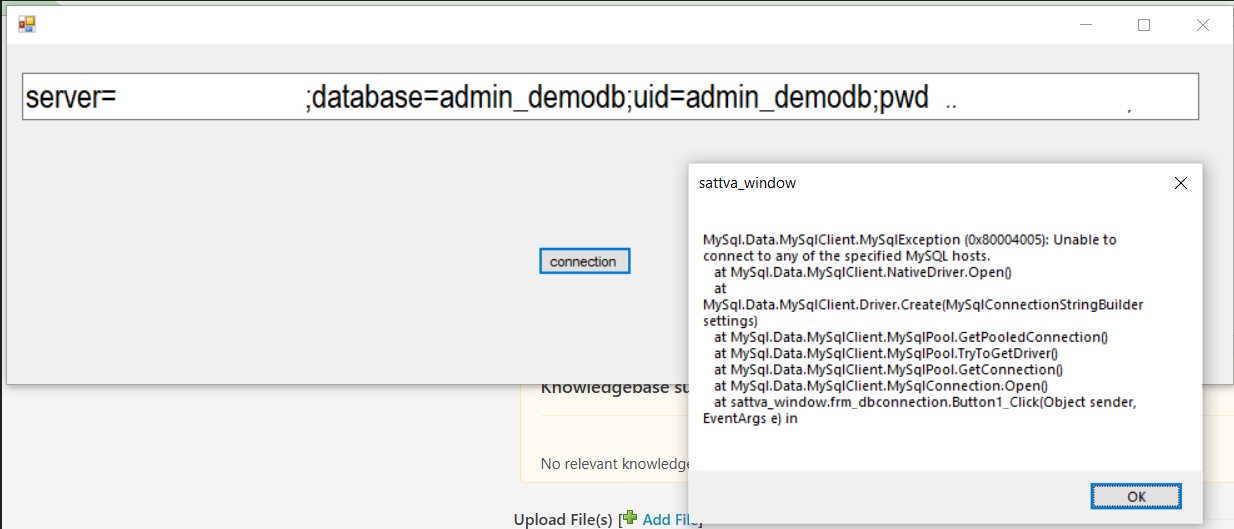
The error “Unable to connect to any of the specified MySQL hosts” occurs when the application cannot establish a connection to the MySQL server. This issue can arise from misconfigurations, network issues, or incorrect access credentials. Resolving it is essential to restore your application’s functionality and maintain a seamless user experience.
Common Causes of the Error

- Incorrect MySQL Hostname
- The application configuration might be pointing to the wrong server. Ensure that the hostname is correctly set to your MySQL server’s IP address or domain name.
- For localhost setups, the hostname should often be
localhost.
- Invalid User Credentials
- The database username or password might be incorrect. Double-check these credentials in your application’s configuration file.
- Firewall or Port Blocking
- If the MySQL port (default: 3306) is not open, the connection will fail. Firewalls or security software may block the port.
- Remote Access Not Enabled
- If you are trying to connect to MySQL from a remote server, ensure that remote access is enabled for your database user.
- Database User Lacks Permissions
- The user attempting to connect to the database might not have sufficient privileges.
- MySQL Server Not Running
- The MySQL service might be down. Verify if the MySQL server is running and listening on the specified port.
- DNS Resolution Issues
- If you are using a domain name for the MySQL host, DNS resolution issues may prevent proper connectivity.
- Corrupted Configuration Files
- A misconfigured
my.cnffile on the server can also lead to this error.
- A misconfigured
How to Resolve the Error

Step 1: Verify the MySQL Hostname
- Check the database hostname specified in your configuration file.
- If the MySQL server is hosted on the same server as your application, use
localhost. - For remote servers, use the correct IP address or domain name.
Step 2: Confirm User Credentials
- Ensure the username and password in your configuration file are accurate.
- Test the credentials using a MySQL client or command line:
mysql -u username -p -h hostname
Step 3: Check Firewall and Port Settings
- Ensure that port 3306 is open. Use the following commands to check and open the port:
sudo ufw allow 3306

sudo systemctl restart mysql
Step 4: Enable Remote Access
- To allow remote connections, update the MySQL user permissions. Run the following command:
GRANT ALL PRIVILEGES ON *.* TO 'username'@'%' IDENTIFIED BY 'password';

FLUSH PRIVILEGES;
- Edit the MySQL configuration file (
/etc/mysql/my.cnf) and comment out the linebind-address=127.0.0.1. Then restart MySQL:sudo systemctl restart mysql
Step 5: Verify User Permissions
- Ensure that the database user has sufficient permissions:
SHOW GRANTS FOR 'username'@'host';
Step 6: Check MySQL Server Status
- Ensure that the MySQL service is running:
sudo systemctl status mysql
- If the server is down, restart it:
sudo systemctl start mysql
Step 7: Address DNS Issues
- If using a hostname, ensure it resolves correctly. Test the connection with the server’s IP address instead.
Step 8: Review Configuration Files
- Inspect the MySQL configuration file (
my.cnformy.ini) for errors. - Ensure the
bind-addresssetting is correctly configured.
Preventive Tips for Avoiding MySQL Connection Errors
- Regular Monitoring
- Monitor your MySQL server and application logs for any warnings or errors.
- Backup Configuration Files
- Always back up your database configuration files before making changes.
- Use Strong Passwords
- Employ strong and unique passwords for your database users to enhance security.
- Enable Error Logging
- Use MySQL error logs to quickly diagnose and resolve issues.
- Secure Remote Access
- Use SSH tunnels or VPNs for secure remote database connections.
Conclusion
The error “Unable to connect to any of the specified MySQL hosts” can disrupt your application’s functionality, but with systematic troubleshooting, it is easy to resolve. By verifying hostnames, credentials, permissions, and server settings, you can ensure a seamless connection to your MySQL database.
Understanding and addressing the root cause of the issue will not only solve the problem but also help in preventing similar errors in the future. If you encounter persistent issues, consulting with your hosting provider or a database expert can provide additional insights.
Keep your database secure, optimized, and running smoothly to enhance the reliability and performance of your applications!