
Hello all,
Today we going to see about how to terminate multiple accounts in reseller/whm panel , As a hosting reseller, terminating account one by one can take some time. Luckily, Web Host Manager (WHM) has a function to terminate
multiple accounts at once. This tutorial shows you where to find and how to use this function.
Step 1 : Log in to your WHM and navigate to Multi Account Functions
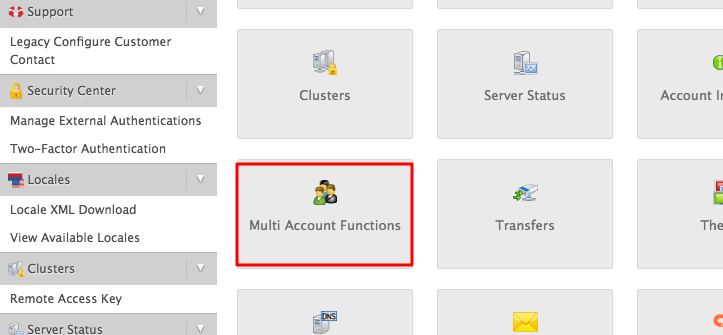
Once click the option you can see Terminate Multiple Accounts option click on that
Step 2 : Choosing Accounts to Terminate
Check the accounts you want to terminate. Check Keep DNS Zone to a respective account in case you don’t want to delete DNS records for this account:
Step 3 : Confirming the Termination
Confirm the termination by entering provided phrase in the blank field and pressing then click Destroy Selected Accounts.

After confirmation, a loading screen will appear followed by a log of accomplished operations.