
Hello all,
WebHost Manager (WHM) is a server administrative interface created by cPanel. And it has given a graphical user interface to manage server in simple way.
cPanel & WHM is widely used among in hosting industry and users who have their own servers for website hosting. The interface makes it much easier to manage Linux distribution based servers and they don’t need to do all server configuration in command line interface.
Today we will going to see about Create new cPanel account in WHM
Step 1 : Log into your WHM
Step 2 : In the left menu under “Account Functions“, click – Create a New Account
The interface is be like in below
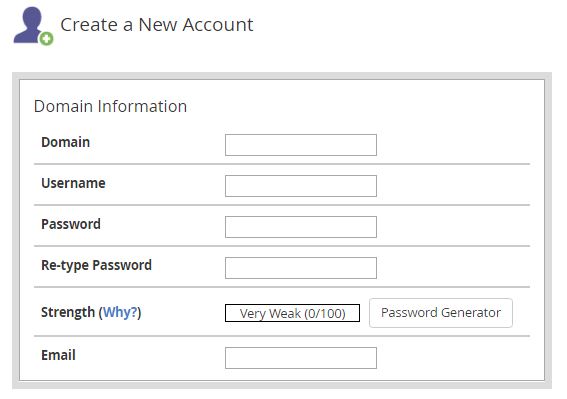
Step 3 : Fill the mandatory details of the domain username and password
Step 4 : While creating cPanel account we need to assign a package for that account so now we have to create a package in WHM
Make sure that you have create the plan for this account. Else Please follow the below steps to create it.
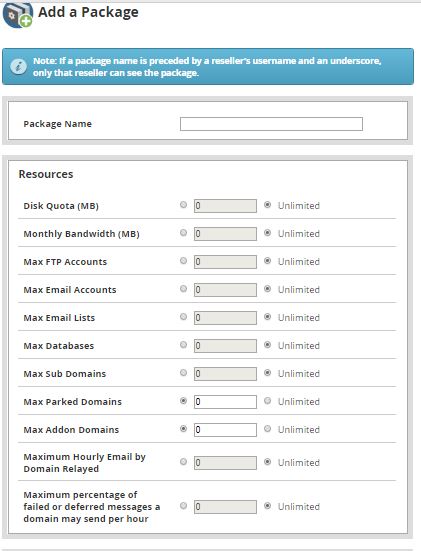
- In the left menu under “Packages” Click – Add a Package
- Enter the required package name
- And fill the mandatory details and resource information for the package as based on your need.
- Once the resources and settings and limits are assigned, click on the Add button to complete the process.
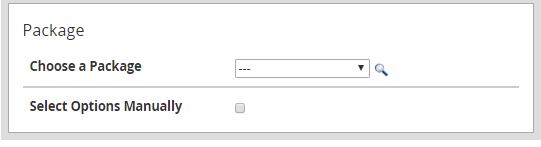
Step 5 : Assign the package
- In the left menu under “Account Functions” Click – Create a New Account
- Once you have created the packages, Kindly choose the package name for creating account.
Step 6 : Mail Routing Settings
Mail Routing Settings – These settings allow you to specify how mail should be routed for the new account.
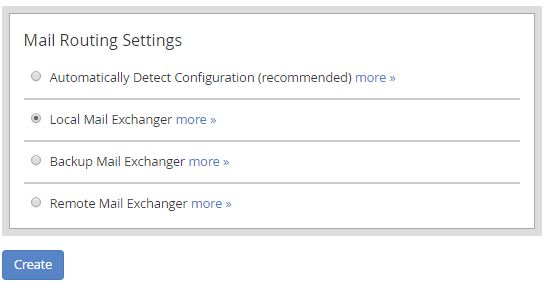
Once you have done the above steps click create button
After creating account you can login to cPanel with the new accounts credentials.