
The 503 Service Unavailable error is one of the most common HTTP status codes that webmasters encounter. While it’s usually a temporary issue, a 503 error can cause significant disruption if not addressed promptly. This guide will provide a comprehensive overview of the 503 error, including its causes, impacts, and detailed troubleshooting steps.
Table of Contents
ToggleWhat is a 503 Error?
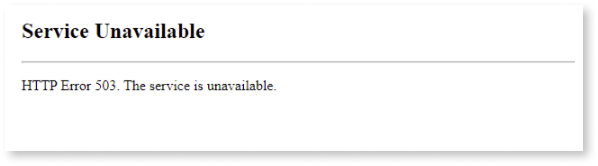
The 503 error is an HTTP status code that indicates the server is temporarily unable to handle the request. This could be due to the server being overloaded, undergoing maintenance, or facing other issues that prevent it from responding to client requests.
Unlike other HTTP errors, the 503 error typically signals a temporary issue, and it often resolves itself once the server returns to normal operations. However, persistent 503 errors can be a sign of deeper problems that need immediate attention.
How Does a 503 Error Impact Your Website?

When a website encounters a error, users are unable to access the site. This can lead to:
- Loss of Traffic: If users cannot access your website, they may leave and not return, leading to a decline in traffic.
- Revenue Loss: For e-commerce sites, downtime can directly impact sales and revenue.
- SEO Impact: If search engine crawlers encounter a 503 error multiple times, it could affect your site’s ranking on search engines.
- User Trust: Frequent 503 errors can erode user trust, leading to a negative perception of your brand.
Common Causes of 503 Errors
Understanding the root cause of a 503 error is crucial for effective troubleshooting. Here are some common causes:
- Server Overload:
- Description: When the server is overwhelmed with too many requests, it may not have the resources to handle additional traffic, resulting in a 503 error.
- Solutions: Implement load balancing, upgrade server resources, or optimize the application to handle more traffic efficiently.
- Scheduled Maintenance:
- Description: During scheduled maintenance, servers may be taken offline temporarily, causing a 503 error.
- Solutions: Ensure proper communication with users regarding maintenance schedules and try to perform maintenance during off-peak hours.
- DNS Issues:
- Description: If the DNS server is down or misconfigured, it can lead to a 503 error.
- Solutions: Check DNS settings, ensure DNS servers are operational, and verify that DNS propagation has completed successfully.
- Server Software Issues:
- Description: Problems with server software (e.g., web server, database server) can cause errors.
- Solutions: Restart the affected services, check for software updates, or roll back recent changes.
- Insufficient Hosting Resources:
- Description: If the hosting plan does not provide adequate resources (CPU, RAM, bandwidth), the server may struggle to handle requests, leading to a 503 errors.
- Solutions: Upgrade to a hosting plan with more resources or optimize your website to use fewer resources.
- Firewall or Security Settings:
- Description: Misconfigured firewalls or security software can block legitimate traffic, causing a 503 error.
- Solutions: Review and adjust firewall settings, ensure security software is not overly restrictive, and whitelist necessary IP addresses.
- Third-Party Service Outages:
- Description: If your website relies on third-party services (e.g., payment gateways, content delivery networks), an outage in these services can result in a 503 errors.
- Solutions: Monitor the status of third-party services, have backup services in place, and notify users of any issues promptly.
Troubleshooting 503 Errors: Step-by-Step Guide
1. Check Server Logs
- Why: Server logs provide valuable information about what caused the error.
- How: Access your server’s error logs (e.g., Apache or Nginx logs) and look for error messages or warnings that coincide with the time of the 503 error.
2. Analyze Server Resource Usage
- Why: High CPU or memory usage can lead to server overload and a error.
- How: Use server monitoring tools (e.g., top, htop, or server dashboards) to analyze CPU, memory, and bandwidth usage. Identify any processes consuming excessive resources.
3. Review Recent Changes
- Why: Recent updates or configuration changes might have introduced the issue.
- How: Roll back any recent updates or changes to server configurations, software, or website code. Determine if the 503 error persists after the rollback.
4. Test Server Response Time
- Why: Slow server response times can indicate server strain, potentially leading to a error.
- How: Use tools like Pingdom or GTmetrix to test server response times. If response times are consistently high, consider optimizing server performance or upgrading your hosting plan.
5. Restart Services
- Why: Sometimes, simply restarting a service can resolve temporary issues causing a error.
- How: Restart web server services (e.g., Apache, Nginx) and database servers. After restarting, check if the it is resolved.
6. Check for Maintenance Mode
- Why: Your site may be inadvertently set to maintenance mode, leading to a error.
- How: Verify that maintenance mode is disabled. For CMS platforms like WordPress, ensure no maintenance plugins are active.
7. Review Firewall and Security Settings
- Why: Overly restrictive settings might block legitimate traffic, resulting in a error.
- How: Temporarily disable firewall rules and security software to determine if they are causing the issue. If this error is resolved, review and adjust settings to allow legitimate traffic.
8. Check DNS Configuration
- Why: Incorrect DNS settings can lead to server accessibility issues and 503 errors.
- How: Verify that DNS records are correctly configured and that your domain is pointing to the correct server. Use tools like
digornslookupto check DNS propagation.
9. Contact Your Hosting Provider
- Why: If you’re unable to identify the cause of the 503 error, your hosting provider may have more information.
- How: Reach out to your hosting provider’s support team with details of the error, including any relevant logs or error messages. They can assist in diagnosing and resolving the issue.
10. Monitor Third-Party Services
- Why: Outages or issues with third-party services can lead to a 503 error on your website.
- How: Monitor the status of any third-party services your website relies on. If an outage is detected, consider using a backup service or notifying users of the issue.
Preventing 503 Errors: Best Practices
While troubleshooting is essential, preventing 503 errors from occurring in the first place is even more crucial. Here are some best practices to help you avoid 503 errors:
- Optimize Website Performance:
- How: Reduce the load on your server by optimizing images, enabling caching, minimizing CSS/JS files, and using a content delivery network (CDN).
- Benefit: Improved website performance reduces the likelihood of server overload and 503 errors.
- Implement Load Balancing:
- How: Distribute traffic across multiple servers using load balancers.
- Benefit: Load balancing prevents any single server from becoming overwhelmed, reducing the risk of it.
- Schedule Maintenance During Off-Peak Hours:
- How: Perform server maintenance during times of low traffic, and notify users in advance.
- Benefit: Minimizes the impact of scheduled maintenance on user experience and traffic.
- Regularly Update and Patch Software:
- How: Keep server software, CMS platforms, and plugins up to date with the latest security patches and updates.
- Benefit: Reduces the risk of software-related issues causing 503 errors.
- Monitor Server Health:
- How: Use server monitoring tools to track CPU, memory, disk usage, and network activity.
- Benefit: Early detection of resource constraints allows you to address issues before they lead to a 503 error.
- Scale Hosting Resources as Needed:
- How: Upgrade your hosting plan or add more resources (e.g., CPU, RAM) as your website traffic grows.
- Benefit: Ensures your server can handle increasing traffic without becoming overwhelmed.
- Backup and Redundancy Planning:
- How: Implement regular backups and plan for redundancy (e.g., failover servers).
- Benefit: Ensures minimal downtime and quick recovery in case of it or server failure.
Conclusion
A 503 error can be a frustrating experience for both webmasters and users. However, with the right troubleshooting steps and preventive measures, you can minimize the occurrence of this error and ensure your website remains accessible to users. Regular monitoring, resource optimization, and proactive server management are key to keeping 503 errors at bay and maintaining a seamless user experience.
By understanding the causes and impacts of a 503 error, and by implementing the strategies outlined in this guide, you’ll be well-equipped to handle any 503 errors that come your way, ensuring your website stays online and your users remain happy.