
In the digital age, email remains a cornerstone of communication, whether for personal use or professional exchanges. Central to the functionality of email are mail servers, specifically incoming and outgoing mail servers. These servers ensure the smooth delivery and receipt of emails, but many users may not fully understand their roles or how they operate. This blog post will explore the intricacies of incoming and outgoing mail servers, their types, configurations, and the critical role they play in email communication.
Introduction to Mail Servers
Mail servers are specialized computer systems designed to handle email services. They are responsible for sending, receiving, and storing emails. These servers work behind the scenes, ensuring that emails reach their intended recipients promptly and securely.
In the realm of email communication, two primary types of mail servers exist: incoming and outgoing mail servers. Understanding the distinctions and functionalities of these servers is crucial for anyone involved in setting up or managing email systems.
Incoming Mail Servers
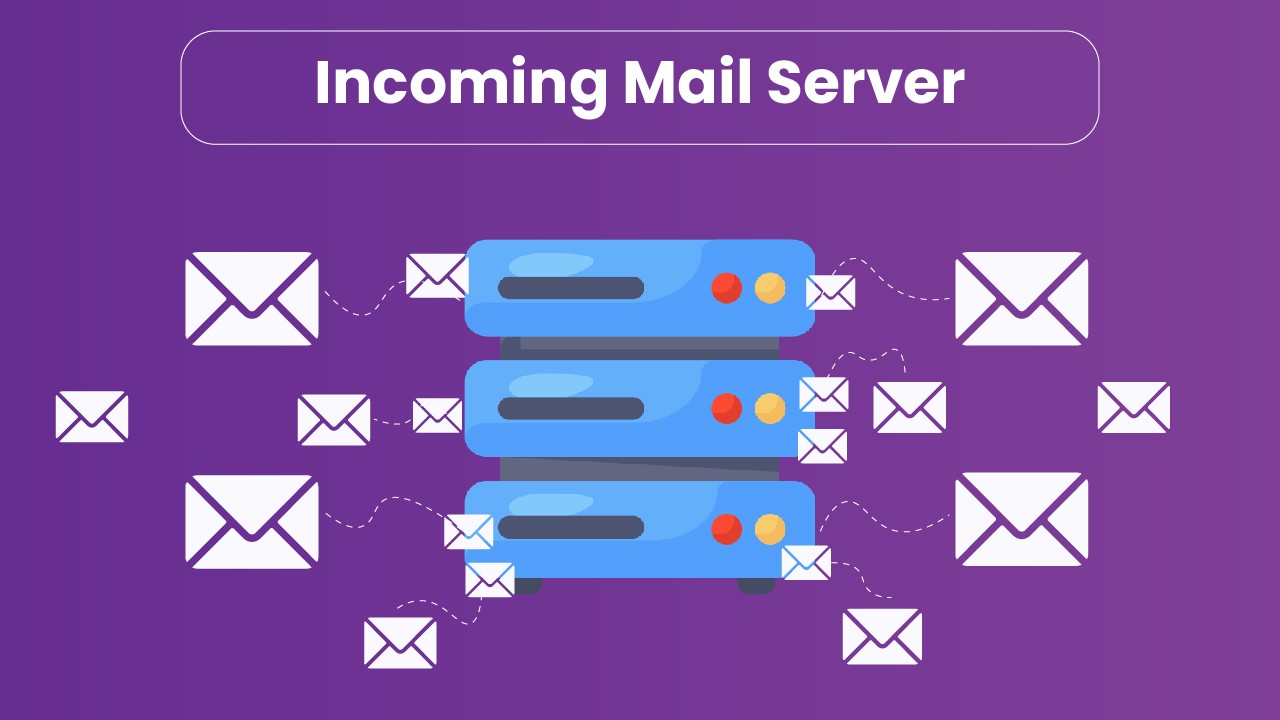
Incoming mail servers, as the name suggests, are responsible for receiving and storing emails sent to a user’s email address. When someone sends an email to you, it first arrives at your incoming mail server before being delivered to your email client (e.g., Outlook, Gmail, or Thunderbird). There are two main types of incoming mail servers:
a. POP3 (Post Office Protocol version 3)
POP3 is one of the oldest and simplest mail retrieval protocols. When you access your email using POP3, the server downloads the emails to your local device and, by default, deletes them from the server. This means that the emails are stored locally on your computer, which can be advantageous for offline access but may pose challenges for accessing your email from multiple devices.
Key Features of POP3:
- Simple and efficient: POP3 is straightforward to implement and use.
- Local storage: Emails are stored locally on the user’s device.
- Limited server storage: Since emails are deleted from the server after download, it conserves server storage space.
Limitations of POP3:
- Single-device focus: Accessing emails from multiple devices can be problematic.
- No server-side synchronization: Changes made on one device (e.g., marking an email as read) are not reflected on other devices.
b. IMAP (Internet Message Access Protocol)
IMAP is a more advanced and versatile protocol compared to POP3. With IMAP, emails remain on the server, and the user can access and manage their email from multiple devices. IMAP synchronizes email actions (such as reading, deleting, or moving emails) across all devices connected to the email account.
Key Features of IMAP:
- Server-side storage: Emails remain on the server, allowing access from multiple devices.
- Synchronization: Actions performed on one device are mirrored on others.
- Folder management: Users can organize emails into folders on the server.
Limitations of IMAP:
- Server storage usage: Since emails are stored on the server, it requires more server storage space.
- Internet dependency: Accessing and managing emails requires an internet connection.
Outgoing Mail Servers
Outgoing mail servers handle the delivery of emails sent from a user’s email client to the recipient’s email server. The primary protocol used for sending emails is SMTP (Simple Mail Transfer Protocol).
a. SMTP (Simple Mail Transfer Protocol)
SMTP is the standard protocol for sending emails across the Internet. When you send an email, your email client connects to the outgoing mail server using SMTP, which then routes the email to the recipient’s mail server. SMTP can be used in conjunction with other protocols like POP3 or IMAP for complete email functionality.
Key Features of SMTP:
- Email sending: Responsible for sending emails from the client to the recipient’s server.
- Reliability: Ensures emails are delivered promptly and accurately.
- Compatibility: Works seamlessly with POP3 and IMAP for receiving emails.
Limitations of SMTP:
- No email retrieval: SMTP is solely for sending emails, not for retrieving them.
- Spam control: Outgoing mail servers need robust spam filters to prevent misuse.
Configuring Mail Servers
Proper configuration of incoming and outgoing mail servers is crucial for the smooth operation of email services. Incorrect settings can lead to issues such as failed email delivery, inability to receive emails, or security vulnerabilities. Here’s how to configure these servers:
a. Configuring POP3/IMAP for Incoming Mail
To configure an email client to use POP3 or IMAP, you need the following information:
- Incoming mail server address: This is usually provided by your email service provider (e.g., mail.example.com).
- Port numbers: POP3 typically uses port 110 (non-secure) or 995 (secure), while IMAP uses port 143 (non-secure) or 993 (secure).
- Security settings: Whether to use SSL/TLS for secure communication.
- Authentication details: Your email address and password.
b. Configuring SMTP for Outgoing Mail
For outgoing mail, the configuration requires:
- SMTP server address: Provided by the email service provider (e.g., smtp.example.com).
- Port numbers: Commonly used ports are 25, 465 (secure), or 587 (secure).
- Security settings: SSL/TLS for encryption.
- Authentication details: Your email address and password.
Security Considerations
Ensuring the security of mail servers is paramount. Email systems are often targeted by cybercriminals for spamming, phishing, and other malicious activities. Implementing robust security measures helps protect sensitive information and maintain the integrity of email communications.
a. Encryption
Using SSL/TLS encryption for both incoming (POP3/IMAP) and outgoing (SMTP) mail servers is essential. Encryption ensures that the data transmitted between the client and server is secure and cannot be easily intercepted by malicious actors.
b. Authentication
Strong authentication mechanisms, such as two-factor authentication (2FA), add an extra layer of security. This ensures that only authorized users can access the email account and reduces the risk of unauthorized access.
c. Spam and Virus Filtering
Mail servers should incorporate advanced spam and virus filtering systems to detect and block malicious emails. These filters help prevent spam emails from clogging the inbox and protect users from phishing attacks and malware.
Troubleshooting Mail Server Issues
Despite careful configuration and security measures, issues with mail servers can still arise. Common problems include email delivery failures, inability to receive emails, and synchronization errors. Here are some troubleshooting steps:
a. Email Delivery Failures
- Check SMTP settings: Ensure that the SMTP server address, port numbers, and security settings are correctly configured.
- Verify authentication: Confirm that the correct email address and password are used for authentication.
- Check for blacklisting: Some IP addresses may be blacklisted, preventing emails from being delivered. Use online tools to check if your IP is blacklisted.
b. Inability to Receive Emails
- Check POP3/IMAP settings: Verify that the incoming mail server address, port numbers, and security settings are correct.
- Review spam filters: Sometimes, legitimate emails are mistakenly marked as spam and moved to the spam/junk folder.
- Server status: Ensure that the mail server is online and not experiencing any outages.
c. Synchronization Errors
- IMAP settings: Ensure that the IMAP settings are correctly configured to allow proper synchronization.
- Folder subscriptions: Check that the correct folders are subscribed to for synchronization.
- Email client updates: Ensure that the email client software is up-to-date and compatible with the mail server.
Conclusion
Incoming and outgoing mail servers are fundamental components of email communication, facilitating the seamless sending and receiving of emails. Understanding their roles, configurations, and security considerations is essential for anyone involved in managing email systems. By ensuring proper setup and implementing robust security measures, users can enjoy reliable and secure email services.
Whether using POP3, IMAP, or SMTP, each protocol plays a specific role in the email process, and knowing how to configure and troubleshoot these servers can significantly enhance your email experience. As email continues to be a vital communication tool, staying informed about the technologies that power it is more important than ever.